Best Phone for Elderly Parents UK: 2026 Guide

Some links on this site are affiliate links. If you buy through them we may earn a commission at no extra cost to you. Our ratings are not for sale.
On this page
Choosing a phone for an elderly parent is different from choosing one for yourself. Speed and camera specs matter far less than a clear screen, loud and clear calls, simple menus and a quick way to reach family in an emergency.
The good news is that you have more options than ever. Some parents are happiest with a simple flip phone, while others want WhatsApp video calls with the grandchildren. This guide helps you match the right phone to the person, not just the price.
First, decide which type of phone suits them
Simple mobile phone (feature phone)
Best for parents who mainly make calls and send the odd text. These phones have big buttons, loud speakers, long battery life (often days) and very simple menus. Many senior-focused models include an emergency button on the back that calls or texts chosen contacts.
Easy smartphone
Best for parents who want video calls, photos and WhatsApp, but feel nervous with technology. Senior-focused brands like Doro make smartphones with a simplified layout and built-in assistance features.
A normal smartphone set up in simple mode
Often the best option. A mainstream Samsung, Google or Apple phone gets better software, more security updates and better cameras, and each one has a built-in simple mode that makes it much easier to use. It also means you can help them, because you probably know how these phones work already.
Our top picks for elderly parents in the UK
Best overall: Samsung Galaxy A26 or Galaxy A17 5G with Easy Mode
Samsung’s Easy Mode makes icons and text larger, simplifies the home screen and reduces accidental taps. Both phones have big 6.7-inch AMOLED screens that are easy to read, long battery life and six years of security updates, so they stay safe for banking and NHS apps for years. The Galaxy A26 adds IP67 water resistance and a smoother screen. See our best phones under £200 for more budget options.
Best iPhone: iPhone 16e or iPhone 17e with Assistive Access
If your family uses iPhones, an iPhone can make help much easier, because you can share location, use FaceTime and even set it up for them. Apple’s Assistive Access mode turns the phone into a very simple layout with large buttons for Calls, Messages, Camera and Photos only. The Emergency SOS and Medical ID features are excellent too. See our iPhone 16e vs iPhone 17e comparison. A refurbished iPhone can bring the cost down.
Best for clear calls and smart help: Google Pixel 9a
The Pixel 9a has helpful accessibility tools built in, including Live Caption, which shows subtitles for videos and calls, and Sound Amplifier for clearer audio with headphones. Call Screen can help filter unknown callers, which is useful against scam calls. Its 6.3-inch screen is a bit smaller than the Samsungs, but it gets updates until 2032.
Best simple phone: a Doro or HMD flip phone
For parents who just want to call and be called, a flip phone is hard to beat. Closing the phone ends the call, the buttons are large, and the battery lasts for days. Doro’s senior flip phones add hearing aid compatibility and an assistance button. HMD’s 2660 Flip is a cheaper option with big buttons and a simple menu, launched at around £69 in the UK.
Key features to look for
Large, bright screen
A 6.5-inch or larger screen with adjustable text size makes a huge difference for tired eyes. AMOLED screens are easier to read in sunlight.
Loud, clear calls and hearing aid support
Look for phones with a good speaker and hearing aid compatibility. Many hearing aids now connect directly to iPhones and modern Android phones by Bluetooth, so calls stream straight into the hearing aids.
Emergency features
Set up Emergency SOS, medical information and emergency contacts on day one. On smartphones, pressing the side button several times can call 999 and alert family. Some feature phones have a dedicated emergency button.
Long battery life
Older users often forget to charge. A phone that lasts two days or more, or a simple charging dock by the bed, avoids missed calls.
Security updates
If your parent uses banking or NHS apps, choose a smartphone with years of updates. Samsung, Google and Apple are the best for this.
Setting up the phone: a simple checklist
- Turn on the simple or easy mode and increase the text size
- Add family as favourites with photos, so calling is one tap
- Set up emergency contacts and medical information
- Turn on location sharing with a trusted family member, with their consent
- Install only the apps they actually use, like WhatsApp and their bank
- Turn on spam call filtering and remind them never to share codes or passwords on the phone
- Add a sturdy case and a screen protector
- Write the PIN or passcode down and keep it somewhere safe at home
Contract or SIM-only?
Most elderly users do not need much data. Buying the phone outright and adding a cheap SIM-only plan is usually the most cost-effective choice. Some UK networks offer social tariffs or low-cost plans for people receiving certain benefits, so it is worth asking.
Our verdict
For most elderly parents, a Samsung Galaxy A26 or A17 5G set up in Easy Mode gives the best mix of simplicity, safety and value. If the family uses iPhones, an iPhone 16e or 17e with Assistive Access is excellent. And for parents who only want to make calls, a simple flip phone is still the stress-free choice.
Frequently asked questions
What is the easiest smartphone for elderly people?
A mainstream smartphone with a simple mode switched on, such as Samsung Easy Mode or Apple Assistive Access, is usually the easiest to use and the easiest for family to support.
Are senior phones like Doro worth it?
Yes, for people who only want basic calls and texts with an emergency button. For video calls and apps, a regular smartphone in simple mode is often better value.
Which phone is best for someone with hearing aids?
Recent iPhones and many modern Android phones support Bluetooth hearing aids. Check your parent’s hearing aid model against the phone maker’s compatibility list before buying.
How can I protect my parent from scam calls?
Turn on spam call filtering, block unknown numbers if appropriate, and remind them that banks and the NHS will never ask for passwords or codes over the phone.
Prices and availability were checked in October 2026 and can change at any time.

Written by the VerdictSeal team. We compare specs, prices across stores, refund terms and what real buyers say, so you can decide with fewer surprises.
How we reviewKeep reading
Best Phone Under 500 Euro in 2026: 5 Smart Picks
The best phone under 500 euro in 2026: Pixel 10a, Galaxy A57, Nothing Phone (4a), OnePlus Nord 6 and iPhone…
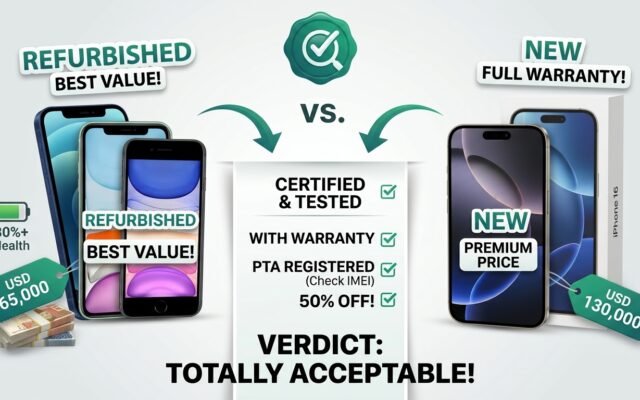
Is a Refurbished iPhone Worth It? UK Buyer’s Guide
Is a refurbished iPhone worth it? Pros, cons, where to buy in the UK, battery and parts checks, and the…
Best First Phone for a Child UK: Safe Picks 2026
Best first phone for a child in the UK: basic phones, child-safe smartphones and budget picks, plus how to set…